With the exception of a few visits to the cinema each year, every single thing I watch — every movie, every TV show, every online video — I watch on my laptop.
For as far back as I can recall, I’ve relied almost exclusively on VLC for video playback. It’s not because it has the most intuitive interface, it’s just because it’s consistently the best when it comes to playing back the content I want to watch.
Back when I didn’t have a ton of horsepower in my PC, VLC would handle 1080p videos (and then 4K videos) without stuttering or making the CPU hit 100% when other players would struggle. Then, when most of the things I watched starting being 4K HDR video files and needed tone mapping to look correct on my non-HDR display, it was VLC who did the job best (once you switched it to the Reinhard algorithm, that is).
It has supported all the features I’ve needed through the years, including subtitle support, multiple audio streams, and cropping videos when I want to take up my full display. As an aside, I know this is not ideal because a portion of the frame gets chopped off, but for non-cinematic videos I really just don’t care to lose a bit of the content in order to take full advantage of my screen real-estate.
That said, I’ve never been wowed by the UI nor UX of VLC. It is a QT app and doesn’t really fit in with the rest of my GTK desktop. The interface looks much the same as it has for decades now. It doesn’t adapt between light and dark styles correctly. The controls are either attached to the bottom of the window, or hidden with a keyboard shortcut. It’s a very competent video player, with plenty of features, but it just sticks out too much.
I’ve tried other video players throughout the years. For a while I used Totem, but it wasn’t well-suited for the task. As Adwaita and GTK4 became a thing it started feeling more and more outdated.
The new default GNOME video player, Showtime, had come the closest to replacing VLC so far. It definitely feels modern. It has rounded edges, automatically disappearing video controls (er, sometimes), and a great UI. But it completely falls apart during playback for me. It doesn’t support tone mapping HDR videos. It doesn’t allow for crop or zoom. And worst of all, about half the time I turn subtitles off (they are on by default), it either freezes or crashes the app. I’ve filed issue reports to help make sure some of these shortcomings are addressed, and the developers have been very responsive and willing to consider my suggestions. In the future, it will probably be a solid option. For now, though, it doesn’t fit my needs.
Another MPV-based app, Celluloid, has also come fairly close over the years. Recent versions do support tone mapping (since MPV supports it), but I find that HDR videos look darker there than they do in VLC or other places for some reason. It’s also missing a lot of features, like cropping/zoom support, and I’m not a fan of the way a lot of the UI sort of floats in and looks a bit non-standard.
All these apps have been tested, but none have been able to replace VLC for me in my day-to-day usage. That is, until now. Cine is finally the video player that I’ve been longing for.
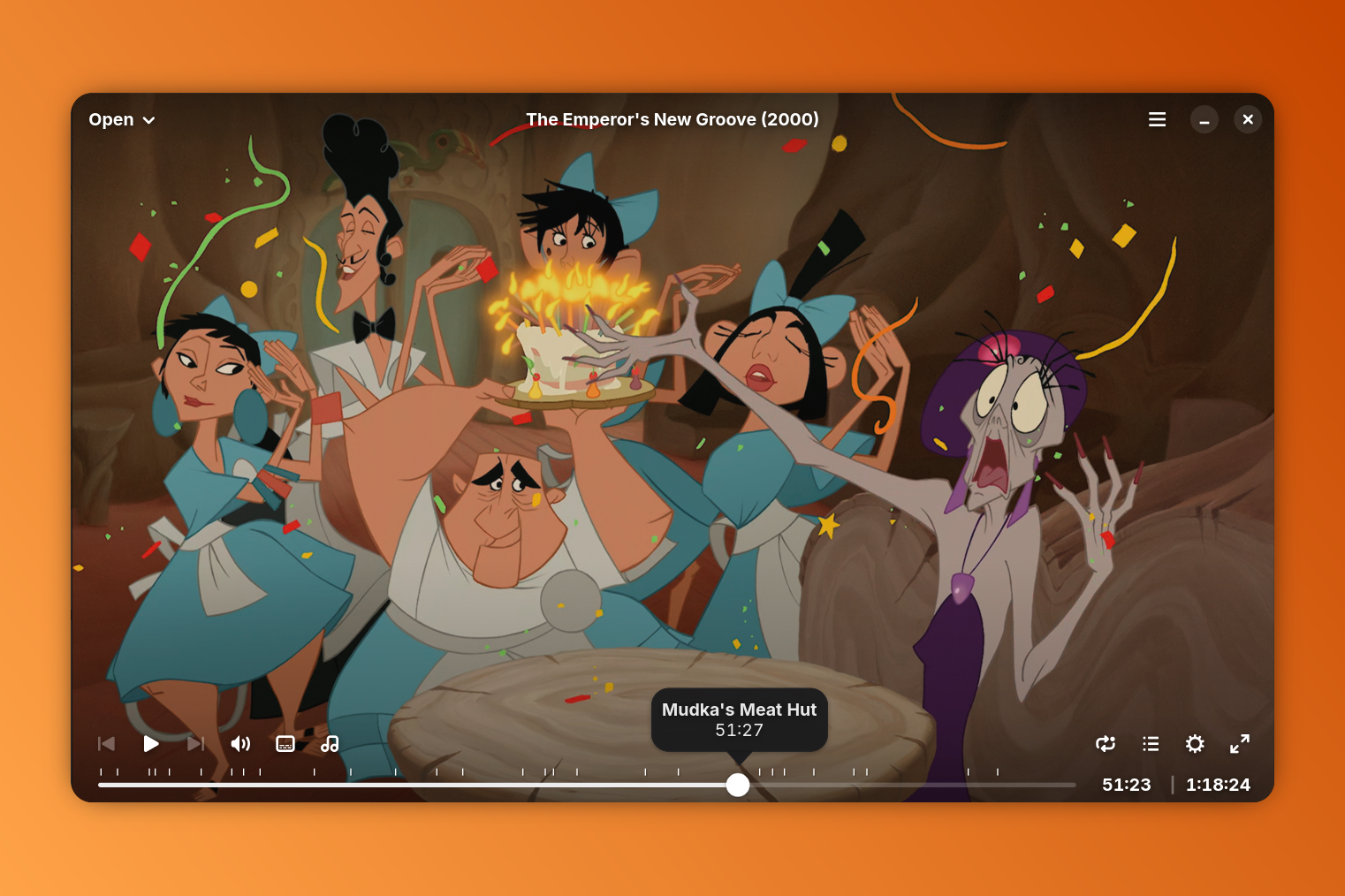
Cine manages to achieve the really difficult combination of being a deceptively simple looking application, while still providing an absolute ton of options and features. It is rock-solid when it comes to stability. I’ve thrown a lot of different videos and codecs at it, and it has not crashed once. The interface is intuitive, and gets out of your way when it’s not needed so as to block parts of the video.
It gives you the usual playback controls, plus an easy selector for different subtitles or audio tracks. Chapter markers are elegantly displayed across the seek bar, with chapter titles showing up on mouse hover. A settings popover give you a ton of options for the current video, including an option to zooming the video (so it can fill your display), or adjusting individual levels like brightness, contrast, etc.
A preferences menu allows you to enable hardware decoding (while writing this post I just realized that wasn’t enabled — why isn’t that a default?!). It also gives you the ability to adjust subtitle settings, and normalize volume (a handy feature when the movie you’re watching has loud explosions but quiet dialog).
I do still sometimes find that videos are a bit on the dark side (I suppose this is something about how MPV renders the videos), but because it includes brightness controls, I can bump those a couple points and it looks great.
I honestly can’t say enough good things about this app. I’ve used it for about four weeks now, and it has officially replaced VLC completely for me. In that time I’ve watched new movies, TV shows, and a handful of other random video files. It just handles everything without even the slightest hesitation.
I can’t recommend Cine enough. You can grab it now from Flathub.